4 Powering up
4.1 Connection
Notice!
Risk of damage to the appliance!
Moisture and liquid can cause damage to parts or electronic circuits inside the device.
- Do not switch on the device when it is damp.
- If the device is already switched on, switch it off.
- If the device cannot be switched off, leave it in this state to dry
- Wipe the device dry with a dry cloth and bring it to a service centre.
Notice!
Risk of damage to the appliance!
All components are maintenance-free. Never open the devices, otherwise the warranty will be invalidated. An exception is opening the lower cover to set the measurement unit and the correction mode
Note
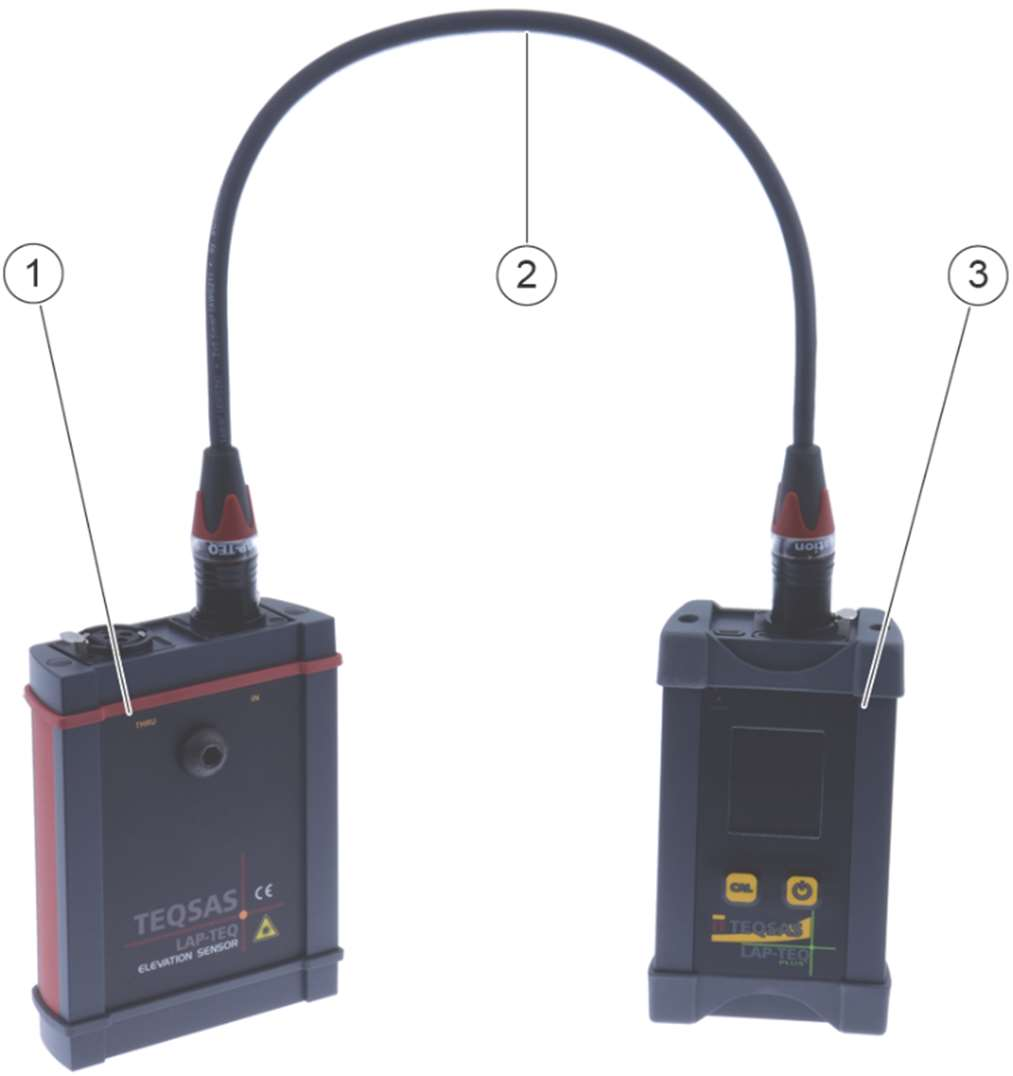
The cable length (2) between DISPLAY and ELEVATION must not exceed 70 m. If you want to bridge distances greater than 70 m, an XLR cable with a cross-section larger than 0.22 mm² must be used.
- Connect the ELEVATION module (1) at the "IN" input and the display module (3) using a standard 3-pin XLR cable (2).
Any number of ELEVATION units can be connected to a single display module in succession. For example, three ELEVATION units can be used to verify correct alignment of the left and right PA sides as well as a centre cluster.
For correct operation, the display module must be connected to an ELEVATION via a standard 3-pin XLR connection cable. The ELEVATION module is powered via the XLR cable. There are no rechargeable or non-rechargeable batteries inside the ELEVATION.
Note
The ELEVATION module (1) is equipped with Neutrik ® XLR TOP connectors. The IP65 protection of these connectors can only be guaranteed if a connector of the XLR TOP series is also installed on the connection cable (2).
4.2 Connection of a LAP-TEQ PLUS Sensor (optional)
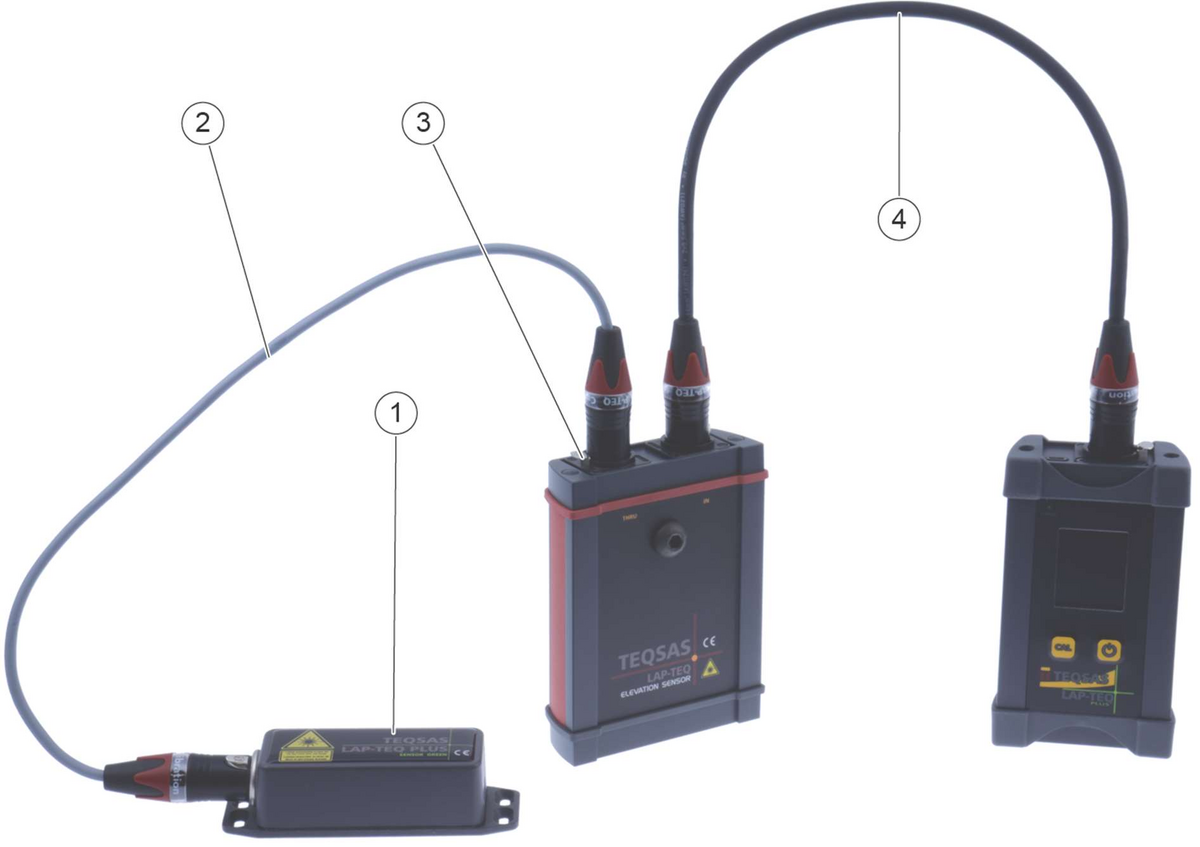
- Mount the LAP-TEQ PLUS Sensor (1) likewise on the flying frame or on the MOUNTING BRACKET (see instructions for use of the LAP-TEQ PLUS).
- Connect the LAP-TEQ PLUS Sensor (1) to the "THRU" socket of the ELEVATION module (3) using a standard 3-pin XLR cable (2).
Note
The total length of the cables (2) + (4) between LAP-TEQ PLUS Sensor, ELEVATION and display module must not exceed 45 m. If you want to bridge distances greater than 45 m, an XLR cable with a cross-section larger than 0.22 mm² must be used.
4.3 Mounting the MOUNTING BRACKET (optional)
- Place the magnetic holder on the upper edge of the flying frame.
- Secure the magnetic holder to the flying frame against falling using the safety rope
- Route the XLR cable in a loop through the strain relief on the magnetic holder.
- Check that the ELEVATION module can swing freely.
- Make sure that there are no objects in the measurement path. These can lead to incorrect measurements